SSH Import
Connect to remote machines over SSH and bring trajectory data closer to your team workspace.
SSH Import handles trajectory data stored on remote machines such as HPC clusters, lab servers, or workstations. Connections are saved once, tested, and used to browse the remote filesystem from within VOLT. The import runtime feeds the cluster-side processing pipeline directly, without manual download and re-upload.
SSH connections
Each saved connection stores the basic credentials needed to open an SSH and SFTP session.
| Field | Description |
|---|---|
| Name | A label the team can recognize later |
| Host | Remote hostname or IP address |
| Port | SSH port (default 22) |
| Username | Remote login name |
| Password | Stored encrypted and used by the import runtime |
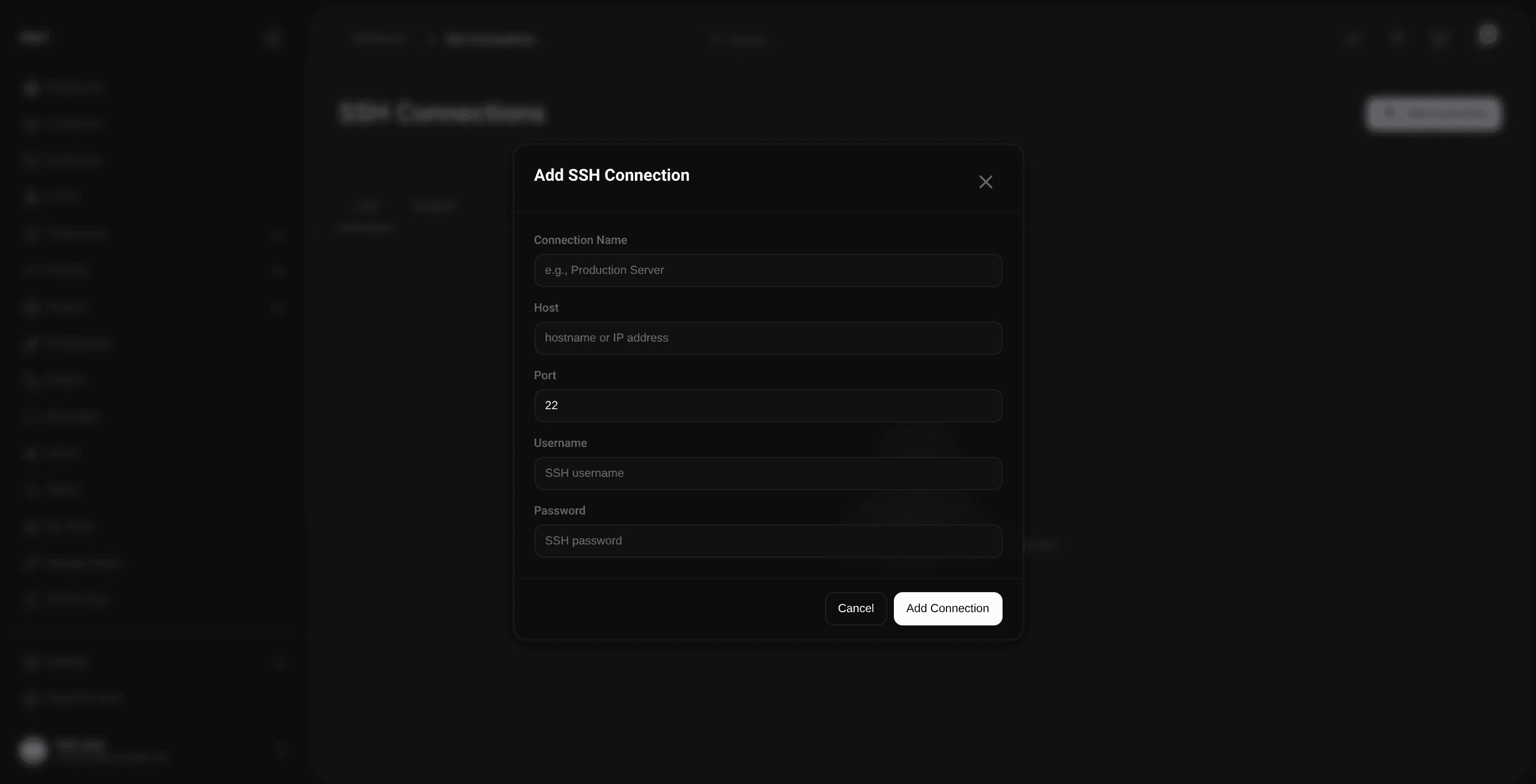
SSH passwords are stored encrypted; the daemon decrypts them at import time using the server-side encryption key.
Testing and browsing
Test the connection to confirm credentials and the network path before launching an import. The file explorer then enables directory browsing and file path verification on the remote host.
How the import pipeline works
Once an import job is triggered, the daemon on your team cluster takes over. It opens the remote session, downloads the selected file or directory into temporary workspace storage, extracts archives when needed, parses the trajectory metadata, compresses and uploads the resulting dumps into MinIO, and kicks off GLB preprocessing so the trajectory can become viewable inside VOLT.
SSH Import feeds the same trajectory pipeline used by direct uploads.
Supported data shapes
The runtime supports LAMMPS-oriented inputs: dump files, data files, and archives containing them. If the selected input expands into multiple valid simulation files, the daemon processes them as part of the same import workflow.