Clusters
Connect machines to a team and use them as the storage and execution layer behind VOLT.
A cluster is a machine enrolled into a team workspace to run the daemon, maintain local services, store trajectory and analysis data, execute jobs, and expose selected capabilities back to VOLT. A team requires at least one connected cluster to process or store data.
What lives on a cluster
The default setup runs four services:
| Service | Purpose |
|---|---|
| MongoDB | Stores structured metadata, listings, and result projections |
| MinIO | Stores trajectory dumps, GLB models, raster previews, plugins, and other binary artifacts |
| Redis | Handles queue state, caching, and several real-time runtime concerns |
| ClusterDaemon | Maintains the connection to VOLT and orchestrates processing, notebooks, remote access, and job execution |
The cloud side of VOLT coordinates and routes; the cluster side runs the workload.
Enrollment and lifecycle
Enrolling a cluster:
- VOLT creates a cluster record.
- An enrollment token is issued.
- An install command is provided for the target machine. For Linux and macOS this is a
curl | bashone-liner; for Windows it is a PowerShell command. Both are run directly on the target machine — VOLT does not SSH into the machine. - The daemon starts and sends heartbeats.
- The cluster transitions from waiting to connected.
The lifecycle layer also supports updates, credential reveal, remote-access sessions, and deletion. Install commands and enrollment tokens can be regenerated.
Status values
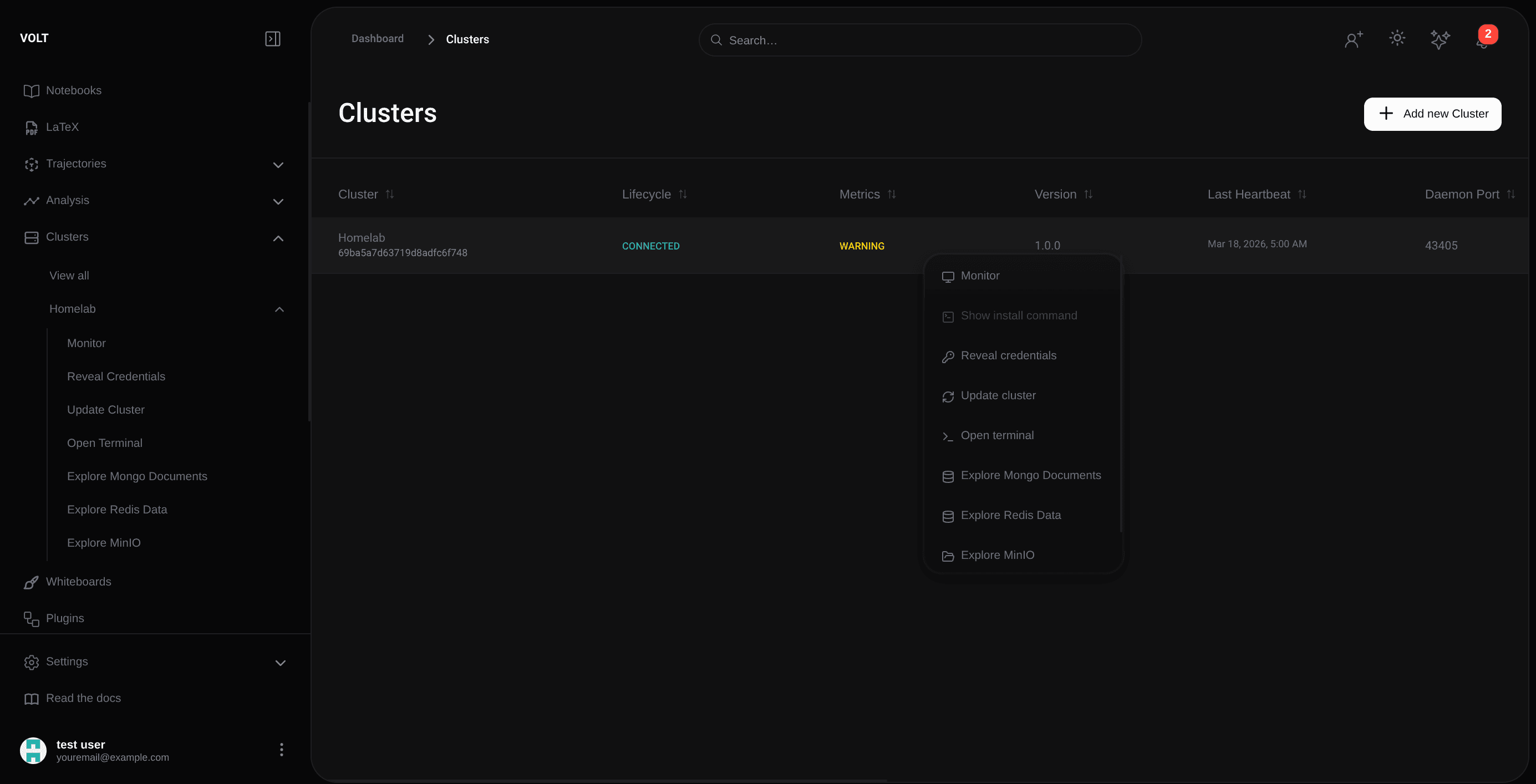
The listing reports cluster reachability and lifecycle state.
| Status | Meaning |
|---|---|
| Waiting for Connection | The cluster has been created, but the daemon has not connected yet |
| Healthcheck Received | The daemon has contacted VOLT and the enrollment healthcheck has been acknowledged |
| Preparing Environment | The daemon is setting up the local services and runtime environment |
| Connected | The daemon is online and the cluster is actively participating in the workspace |
| Disconnected | The cluster was known previously, but heartbeats are currently missing |
| Updating | A managed update is in progress |
| Update Failed | The managed update did not complete successfully |
| Deleting | The cluster is being removed from the team |
| Delete Failed | The deletion did not complete successfully |
| OS Not Supported | The target operating system is not supported by the daemon installer |
| Dependency Install Failed | One or more required dependencies could not be installed during setup |
Monitoring and health
The monitoring view reports resource usage, connection quality, and service behavior in real time, including:
- daemon connection state,
- memory pressure,
- storage utilization,
- and worker availability.
Remote access and data explorers
Clusters expose diagnostic and remote-access tools: host terminal access and explorer-style views into Redis, MongoDB, and MinIO. These views are scoped to support, debugging, and verification, and provide narrower functionality than the native tooling.
Cluster health and platform impact
If the cluster is disconnected, uploads, analyses, notebook sessions, container operations, and remote features either pause or fail.